


Forensics with BackTrack and Sleuth Kit
Getting Access to the Affected Drives
Again, you have a choice to make: You can leave the affected hard drives in the system and boot off of a CD-ROM or USB memory stick, or you can remove the hard drives and attach them to another system in order to image them.
If you decide to leave the hard drives in their original system, ensuring that you configure the BIOS to boot off of CD-ROM or memory stick and not the hard drive is imperative.
Also, note that you cannot guarantee you will not write to the hard drives, for example, by making a mistake during drive imaging.
Booting with BackTrack
After you shut down the system, one popular alternative is to begin the investigation by booting to a Live Linux CD. A Live system will reveal the evidence disk simply as data – you won't have to worry about any scripts or trojaned utilities the attackers might have left on the system to cover their tracks.
Like many software choices in Linux, the choice of a Live distro leaves you both blessed and cursed by an abundance of options. Almost all bootable installation media (Red Hat, Debian, etc.) have a recovery or emergency mode you can use to access the system. Live Linux distributions – on CD or USB media – are also a possibility.
I recommend the security-oriented BackTrack Live CD distribution (Figure 1) [4]. Some of the advantages of BackTrack are:
- BackTrack supports multiple file system types, including EXT2, EXT3, VFAT, NTFS, and more.
- BackTrack is under active development and is specifically aimed at penetration testing.
- BackTrack includes forensics utilities such as the enhanced disk copy tool, dcfldd [5].
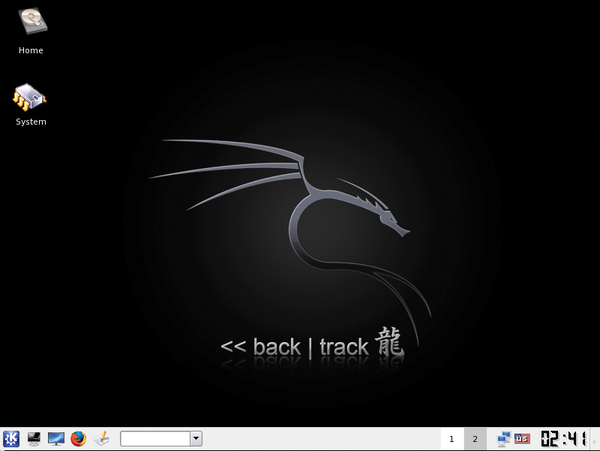 Figure 1: The BackTrack Live Linux distribution specializes in forensics.
To download BackTrack, you're going to need a BitTorrent client (the software is distributed via BitTorrent); I used the current beta version of BackTrack with no problems. Simply go to the BackTrack download page, hit the torrent, and wait for it to download. Then you can use any standard CD burning software to burn BackTrack to a CD-ROM.
Alternatively, you can download a USB version and copy it onto a USB memory stick; of course, this only works if the system you are interacting with is recent enough to support booting off of a USB memory stick.
After you have a copy, you can start BackTrack by simply booting off the CD-ROM or USB stick.
Configuring /etc/fstab on a Forensics System
If you attached evidence drives to a Linux system, be sure you know how these drives will be treated in fstab. During boot up, Linux will scan all the drives for labels. If it finds multiple labels with the same name (e.g., two drive partitions labeled "home"), it will mount the last one it finds. Thus if you have /dev/hda2 labeled as home, and you plug in an evidence drive that has /dev/hde3 labeled as home, your system will end up mounting /dev/hde3, which will potentially result in evidence being modified.
Creating a Drive Image
Creating a complete image of a partition or a drive is relatively simple in Linux. The dd tool, which is included on the BackTrack CD, can image a partition or an entire hard drive.
To pipe the contents of the image to another system and reduce the need to disassemble systems to get the hard drives out, you can combine dd with tools such as nc or SSH. Simply run the command
dd if=/dev/hda1 bs=2k | nc 192.168.0.1 9000
which will image the first partition on the first IDE hard drive (hda1) and send the data to TCP port 9000 on the host 192.168.0.1. On the host 192.168.0.1, simply run nc in listening mode and dump the output to a file:
nc -l 9000 > driveimage.dd
dcfldd includes a number of capabilities useful for digital forensics work. Unlike dd, dcfldd has the ability to create MD5 and SHA256 hashes of the data, thus allowing you to verify the data more easily, and the ability to split files up easily by specifying a split size. (Working with a single 250GB file may prove unwieldy for some people.) For example, the following
dcfldd if=/dev/hda1 hash=md5,sha256 hashwindow=10G md5log=md5.txt sha256log=sha256.txt hashconv=after bs=512 conv=noerror,sync split=10G splitformat=aa of=driveimage.dd
will image hda1, create an MD5 and a SHA256 hash of each 10GB block of data (and write them to a log), continue reading if it encounters errors, and pad input blocks if needed. Finally, the command splits the data into 10GB files with filenames ending in aa, ab, and so on.
One thing to remember is that unless you are sending the data over a secure, trusted network, you're going to need to be able to prove it hasn't been altered in transit. This can be done by making cryptographic hashes (MD5 and SHA256) and safely copying them off the system, for example, via memory stick, or by encrypting the data in transit by using a tool such as OpenSSH to create a tunnel.
« Previous 1 2 3 4 Next »
Buy this article as PDF
(incl. VAT)
Buy Linux Magazine


US / Canada
UK / Australia
Subscribe to our Linux Newsletters
Find Linux and Open Source Jobs
Subscribe to our ADMIN Newsletters
Support Our Work
Linux Magazine content is made possible with support from readers like you. Please consider contributing when you’ve found an article to be beneficial.

News
-
Linux Servers Targeted by Akira Ransomware
A group of bad actors who have already extorted $42 million have their sights set on the Linux platform.
-
TUXEDO Computers Unveils Linux Laptop Featuring AMD Ryzen CPU
This latest release is the first laptop to include the new CPU from Ryzen and Linux preinstalled.
-
XZ Gets the All-Clear
The back door xz vulnerability has been officially reverted for Fedora 40 and versions 38 and 39 were never affected.
-
Canonical Collaborates with Qualcomm on New Venture
This new joint effort is geared toward bringing Ubuntu and Ubuntu Core to Qualcomm-powered devices.
-
Kodi 21.0 Open-Source Entertainment Hub Released
After a year of development, the award-winning Kodi cross-platform, media center software is now available with many new additions and improvements.
-
Linux Usage Increases in Two Key Areas
If market share is your thing, you'll be happy to know that Linux is on the rise in two areas that, if they keep climbing, could have serious meaning for Linux's future.
-
Vulnerability Discovered in xz Libraries
An urgent alert for Fedora 40 has been posted and users should pay attention.
-
Canonical Bumps LTS Support to 12 years
If you're worried that your Ubuntu LTS release won't be supported long enough to last, Canonical has a surprise for you in the form of 12 years of security coverage.
-
Fedora 40 Beta Released Soon
With the official release of Fedora 40 coming in April, it's almost time to download the beta and see what's new.
-
New Pentesting Distribution to Compete with Kali Linux
SnoopGod is now available for your testing needs