


USB Woes

Beagleblog
[edit: this blog post is about the Beagleboard Rev B. As Jason Kridner points out in the comments, Rev C features two USB ports, so you can use one for host mode and the other as a USB slave]
I have been using the Beagleboard with a terminal connection over the serial line for quite a while. But now I want to attach keyboard and mouse to use it as a standalone computer. For this I need a USB hub because the board only features a mini USB port. If you are going to just connect the hub to it you won't have much fun because the Beagleboard doesn't find the peripherals.
The reason for this is that the USB controller chip on the board can operate as a master as well as a slave. Usually, when you connect it to a PC, it's running as slave. To have mouse and keyboard working you need to make the Beaglboard run in host (master) mode, however. As far as I know there is no way to do this with software (you need to have the voltage level of individual pins). To make this work you need a special cable that has a mini A and a mini B plug. I went to several local dealers with no success and finally ordered one online.

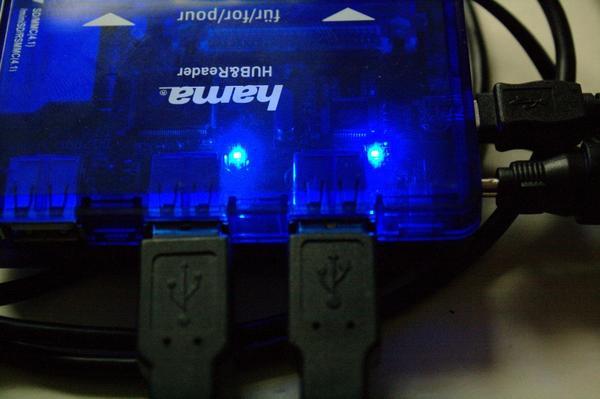
Additionally I had to get two power supplies, one for the Beagleboard (in this setup you can no longer power it over USB) and one for the USB hub. So my collection of additional hardware is constantly getting bigger.
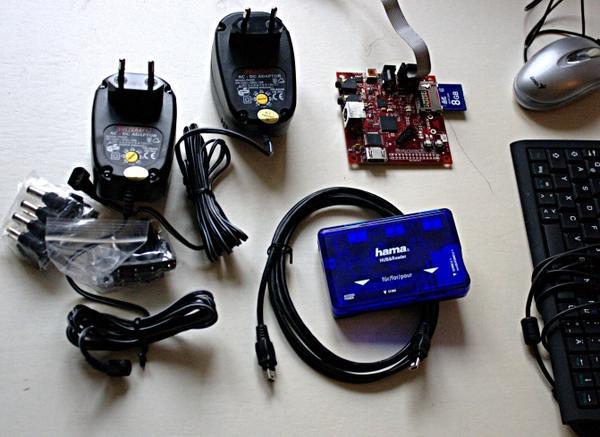
When I boot the Beagleboard everything works great, it finds mouse and keyboard, and I am able to use it like a real computer. Now the only problem is that I can't use networking over USB because that requires the Beagleboard operating in slave mode. Looks like there's only one way out: going to the shop again and getting a USB ethernet device that I can plug into the hub, too ..
Comments
comments powered by DisqusSubscribe to our Linux Newsletters
Find Linux and Open Source Jobs
Subscribe to our ADMIN Newsletters
Support Our Work
Linux Magazine content is made possible with support from readers like you. Please consider contributing when you’ve found an article to be beneficial.

News
-
United Nations Open Source Portal Goes Live
A new open source portal seeks to coordinate and scale open source efforts across the United Nations system.
-
KDE Linux Drops AUR
KDE Linux developers have dropped the Arch User Repository from the build pipeline due to security concerns; other distributions should consider doing the same.
-
California May Exempt Linux from Its Age-Verification Law
After backlash from the Linux community, California may be backing off on its promise to force all operating systems to verify age, but one platform may still have to comply.
-
Another Logic Bug Found in Linux Kernel
Qualys has discovered a vulnerability in the Linux kernel that can be used to elevate standard user privileges.
-
Ubuntu Core 26 Offers Game-Changing Enterprise Features
Ubuntu Core 26 could be a game-changer for organizations looking for increased security and reliability.
-
AI Flooding the Linux Kernel Security Mailing List
AI is giving Linus Torvalds a headache, but not in the way you might think.
-
Top Priorities for Open Source Pros Seeking a New Job
Professional fulfillment tops the list, according to LPI report.
-
Container-Based Fedora Hummingbird Designed for Agent-First Builders
Fedora Hummingbird brings the same approach to the host OS as it does to containers to level up security.
-
Linux kernel Developers Considering a Kill Switch
With the rise of Linux vulnerabilities, the kernel developers are now considering adding a component that could help temporarily mitigate against them… in the form of a kill switch.
-
Fedora 44 Now Gaming Ready
The latest version of Fedora has been released with gaming support.
Yeah, right
I guess it's much less hassle with Rev C
Best
Oliver
Rev C has full-size A USB port