


Extension Watch: Turn URLs into QR codes with Mobile Barcoder

Productivity Sauce
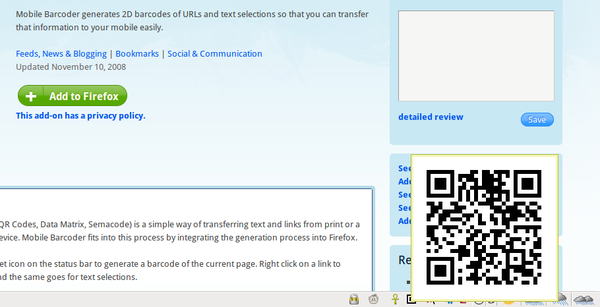
The Mobile Barcoder extension for Firefox is a one-trick pony, but the trick it does is a really neat one. When browsing the Web, you've probably noticed that some Web sites contain QR codes. These codes offer a convenient way to capture and transfer useful information like URLs and email addresses to your mobile device, provided it can read and process QR codes. Say you found an interesting article while browsing the Web on your laptop and you want to read it later on your mobile device. Snap the QR code containing the article's URL with your device, and you can open the link in the built-in browser. But here is the problem: only a handful of Web sites out there actually use QR codes. This is where Mobile Barcoder comes into the picture. This Firefox extension generates a QR code for the currently opened Web page. Once installed, Mobile Barcoder adds an icon in the right corner of the status bar. Hover the mouse over the icon, and it pops up a QR code containing the URL of the currently viewed Web page. Simple? Yes. Useful? You bet!
Comments
comments powered by DisqusSubscribe to our Linux Newsletters
Find Linux and Open Source Jobs
Subscribe to our ADMIN Newsletters
Support Our Work
Linux Magazine content is made possible with support from readers like you. Please consider contributing when you’ve found an article to be beneficial.

News
-
Substantial Update to IPFire Now Available
The lastest version of IPFire features a fundamental change to how the system handles DNS.
-
Gnome Working on Test Center App to Make Testing Easier
It's now possible to test experimental features on the Gnome desktop without worrying that you'll break things.
-
New Vulnerability Discovered in Linux Kernel
Hiding out for nearly 15 years, the Ghostlock vulnerability allows a standard logged-in user to gain root privileges.
-
New Linux Flaw Lets Attackers Escape VMs
A 16-year-old vulnerability allows an attacker to escape a virtual machine, gain access to the host, and execute malicious code.
-
Hannah Montana Linux Is Back!
Developer Noah Cagle decided the world needed the once obscure but beloved Linux distribution and gave it a decidedly pink refresh.
-
System76 Refreshes the Lemur Laptop
If you're looking for a laptop with tons of power and battery, look no further than the latest iteration of the System76 Lemur Pro.
-
More than 43 Million Lines of Code in Linux Kernel 7.2
Using the cloc utility, Michael Larabel of Phoronix discovered that Linux kernel 7.2 has over 43 million lines of code.
-
Kubuntu Focus Goes Ultra
The Kubuntu Focus team has upped the performance ante of its M2 and Zr laptops with the latest, greatest CPUs from Intel.
-
Linux Gamers May Soon See Less Mouse Lag in KDE Plasma
Gamers using KDE’s Plasma desktop have been suffering from a slight input delay in mouse movement that could lead to getting fragged.
-
Three Lines of Code Improve Linux Storage Performance
A developer changed three lines of code, giving Linux storage performance a 5% bump.
Thanks for the review