


Flash Alternative: Processing Version 1.0

This past weekend has produced a version 1.0 of Processing, a Flash alternative product that runs under GPL.
With the help of some simple code, Processing will create 2-D and 3-D models and animations (Figure 1). These you can export as Java applets into websites. The tool can provide many creative outlets in that it is easy to use. A number of examples have been collected.
New in version 1.0 is the reintroduction of the P2D two-dimensional renderer. Line smoothing isn't quite 100%, although it's standard with P2D and P3D renderers. The inherent OpenGL renderer uses full-screen anti-aliasing and ignores smooth() and nosmooth() methods. Processing provides a new vector class, PVector, that creates a tuple for easier 3-D data storage.
The integrated vector graphic library Candy introduces the loadShape() method and a new Pshape object. These functions currently work best with the JAVA2D renderer, while upcoming Processing versions should more fully enhance the vector graphic functions. The full list of feature changes are here.
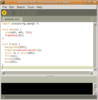
To get a glimpse of Processing, best to download from here. All you need is to do is import the program in an editor and play it (Figure 2), with no compiling necessary. Numerous sample programs are available from the application's File | Examples menu. A File | Export creates a Java applet of the program that you can simply FTP to a website.
The following code, for example, creates a gray cube that you can move around with the mouse (Figure 3):
import processing.opengl.*;
void setup() {
size(400, 400, P3D);
frameRate(30);
}
void draw() {
background(200);
translate(mouseX,mouseY,0);
color c1 = color(180);
fill(c1);
stroke(128);
box(150);
}
Gallery pictures:
Figure 1. With Processing you can easily and quickly create and animate 2-D and 3-D objects.
Figure 2. Simply import a program in the editor and click the Play icon.
Figure 3. A few lines of code can create a cube that you move around by mouse click.
| Gallery (3 images) |
|---|


|
Subscribe to our Linux Newsletters
Find Linux and Open Source Jobs
Subscribe to our ADMIN Newsletters
Support Our Work
Linux Magazine content is made possible with support from readers like you. Please consider contributing when you’ve found an article to be beneficial.

News
-
Container-Based Fedora Hummingbird Designed for Agent-First Builders
Fedora Hummingbird brings the same approach to the host OS as it does to containers to level up security.
-
Linux kernel Developers Considering a Kill Switch
With the rise of Linux vulnerabilities, the kernel developers are now considering adding a component that could help temporarily mitigate against them… in the form of a kill switch.
-
Fedora 44 Now Gaming Ready
The latest version of Fedora has been released with gaming support.
-
Manjaro 26.1 Preview Unveils New Features
The latest Manjaro 26.1 preview has been released with new desktop versions, a new kernel, and more.
-
Microsoft Issues Warning About Linux Vulnerability
The company behind Windows has released information about a flaw that affects millions of Linux systems.
-
Is AI Coming to Your Ubuntu Desktop?
According to the VP of Engineering at Canonical, AI could soon be added to the Ubuntu desktop distribution.
-
Framework Laptop 13 Pro Competes with the Best
Framework has released what might be considered the MacBook of Linux devices.
-
The Latest CachyOS Features Supercharged Kernel
The latest release of CachyOS brings with it an enhanced version of the latest Linux kernel.
-
Kernel 7.0 Is a Bit More Rusty
Linux kernel 7.0 has been released for general availability, with Rust finally getting its due.
-
France Says "Au Revoir" to Microsoft
In a move that should surprise no one, France announced plans to reduce its reliance on US technology, and Microsoft Windows is the first to get the boot.