


Linux Desktop Update: KDE 4.1 Released

The developers were criticized for KDE 4.0. At the time, they pointed to KDE 4.1 – and it turns out they were right. The new version is far more stable and mature.
Things still aren't perfect, though. If you are mainly interested in a stable KDE, you might prefer to stick with version 3.5. The new 4.1 feels very much like a good beta: stable, but with a couple of bugs remaining.
The features that work are really impressive, starting with the splash screen, and continuing with programs like Gwenview and Dolphin, through to the plasmoids, which are vastly improved functionality-wise, and the integrated desktop effects. According to release manager Dirk Müller, 20803 minor changes were made to the desktop between KDE 4.0 and 4.1.
Thanks to new icons, the Plasma desktop and the kickoff menu, the KDE 4.1 GUI is more elegant than its predecessor 3.5 – but also more austere. The KDE 4 desktop is controlled by Plasma, which the Apple Webkit engine also uses. This means that you can use OS X dashboard applets. If you tried rotating a plasmoid in 4.0.0, you may have experienced the desktop crashing. On KDE 4.1 most standard plasmoids and the desktop itself is far more stable, faster and easier on resources, thanks in part to Trolltech's Qt 4.4 which the desktop relies on. Proprietary Nvidia drivers cause jerky screen movement: the KDE Techbase has tips for owners of Nvidia graphics cards to help resolve the problem. There were no performance problems with our lab machine, which uses an Intel graphics chip, and there are no reports of issues with ATI cards.
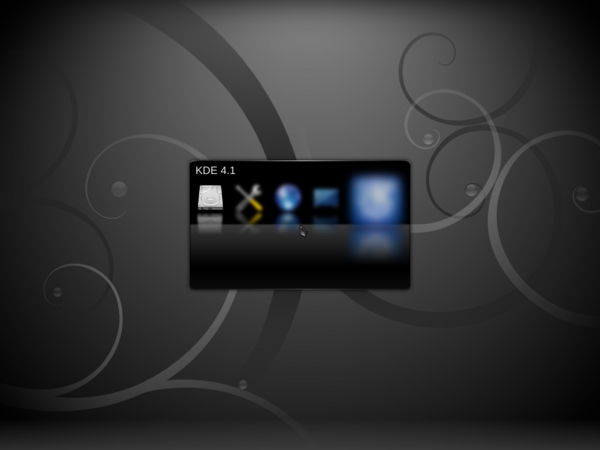
The new splash screen is very impressive.
While many users like to store data on the desktop, the developers wanted to avoid this. The “Folder view applet” was designed to offer a compromise between the two. Plasma comes with a couple of neat graphics effects which Linux users familiar with Compiz and its predecessors will already know. You can enable or disable the effects in "Preferences | Desktop". If you press [Alt]+[Tab], KDE flips through the active windows in cover switch mode.
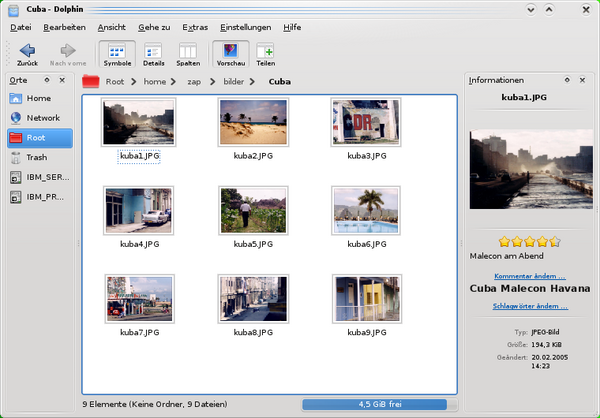
The Dolphin file manager supports semantic tagging.
Changes have also occurred under the hood: the Phonon multimedia framework now supports the GStreamer, DirectShow 9, and Quicktime front-ends. DirectShow? Quicktime? You guessed it: KDE 4 also runs on Windows and on the Mac – although in a lightweight variant. KDE 4.1 relies on Strigi to accelerate document searches. The search software indexes documents (such as PDFs, archives, or MP3s) on disk. Nepomuk will help to implement the semantic desktop in future versions of KDE 4.
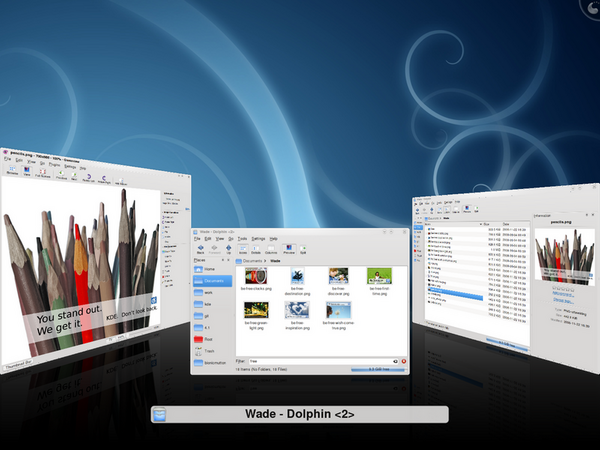
The cover switch effect when toggling between applications.
The tried-and-trusted PIM (Personal Information Management) components, Kontact, KMail, KNodes, Akregator, and KOrganizer are now officially part of the KDE 4 distribution. Akonadi ha also made its way into the new version: it collects information (such as addresses) for the various PIM components in the background and stores them under a common root.
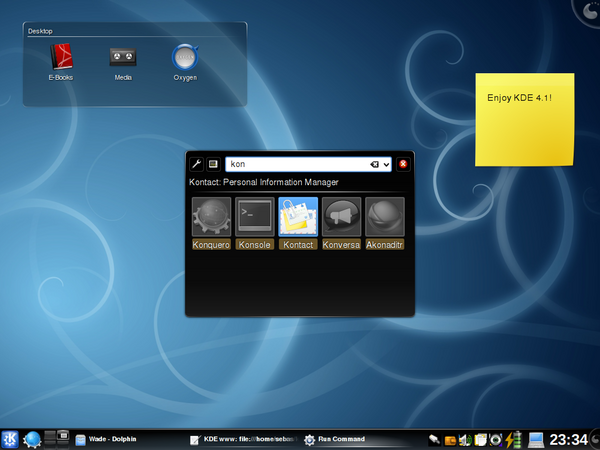
The desktop with plasmoids and the new quick start menu.
The Dolphin file manager now sports a tree view in addition to tabbed browsing, and the copy to entry has been reinstated in its sibling Konqueror's context menu. The spartan Dragon Player now plays multimedia content, but is no competition for other media players from a functionality point of view right now. The developers have also put some work into Gwenview: the image view not only looks better, it also has more intuitive controls, and includes a full-screen image browser. The graphics editor also gives users the ability to undo actions step by step.
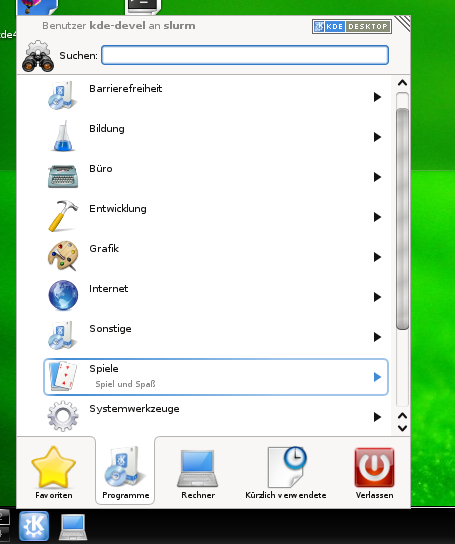
A legacy start menu is available.
If you are interested in testing the desktop, the Live Version by Stephan Binner is a good place to start. Just write the ISO file to a CD, slot it into your CD drive, and reboot. The host system is Opensuse 11. As an alternative, you can use the KDE package updates for various distributions. The developers are already working on version 4.2, which is due for release in January 2009 according to the roadmap.
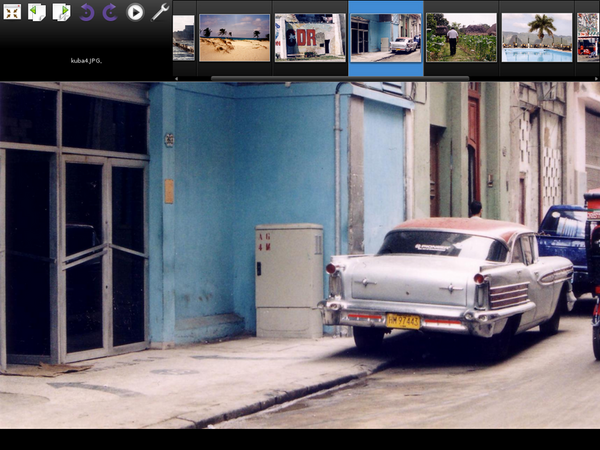
The Gwenview image viewer is fast and looks good
Kristian Kissling
Subscribe to our Linux Newsletters
Find Linux and Open Source Jobs
Subscribe to our ADMIN Newsletters
Digital Autonomy
• How the Fediverse Found Parts for Its Platforms
• The Answer Was Already on the Shelf
• Changing the Chip Industry: How Public Investment Has Grown Open Silicon
• United Nations Open Source Portal Goes Live
• EU Open Source Strategy Plays Key Role in Tech Sovereignty Package
• France Says “Au Revoir” to Microsoft
Support Our Work
Linux Magazine content is made possible with support from readers like you. Please consider contributing when you’ve found an article to be beneficial.

News
-
PwnEscape Poses VM Vulnerability
A guest-to-host escape flaw in Linux KVM, named PwnEscape, might be yet another means of attacking Linux.
-
Linux Mint 27 Set for a Christmas Release
The developers behind Linux Mint have announced a Christmas release, and it looks like Santa's sack will be brimming with features.
-
Is Linus Torvalds Vibe Coding?
The creator of Linux has added AI into his process for Linux kernel development, and it's more than just for debugging.
-
openKylin 3.0 Released with Expanded AI Integration
The latest release features a pre-installed AI agent to help perform tasks.
-
DigitalOcean Ends Open Source Credits Program
In a change that has surprised many open source developers, DigitalOcean has decided to sunset its Open Source Credits Program.
-
Office 365 Available for Testing on Linux via Bottles
Linux users can now test the official Office 365, thanks to Mirko Brombin's work on Bottles.
-
Dutch Government Turns to Open Source for Digital Sovereignty
Following in the footsteps of other European countries, the Netherlands is looking to increase its sovereign digital infrastructure with open source software.
-
Linux May Soon Work on Snapdragon X2-Based PCs
If you're thinking about buying a Snapdragon X2-based desktop or laptop, Linux may soon be an option.
-
KDE for People Initiative Calls for AI Ban in Plasma
A new community of KDE wants the project to adopt a strict no-AI policy for KDE Plasma.
-
KDE Sets Ambitious Goals for 2026 and Beyond
KDE Connect reveals the goals for the Linux desktop darling, with one of those goals long overdue.