


Draw Google diagrams from a Perl script

Painting by Data

A CPAN module passes drawing instructions in object-oriented Perl to Google Chart, which draws visually attractive diagrams.
Very few people are seen with Windows laptops at open source conferences nowadays, unless, that is, they really want to be the center of attraction as stone age cave dwellers. For a while, I had been looking around to replace my old laptop when an offering by Dell caught my eye: a cute Mini 9 Ubuntu netbook at an unbeatable price of US$ 230 (Figure 1). So I finally made the move. Leif, a guy from work, even gave the cute gadget a funny nickname, "Mini-Me," after the tiny clone of Dr. Evil in the second Austin Powers movie.
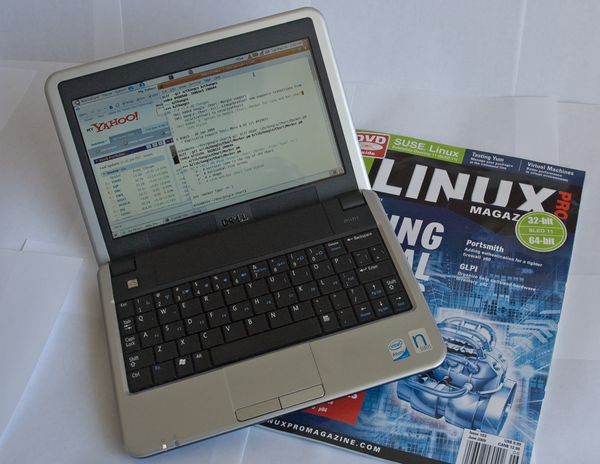 Figure 1: The tiny Dell netbook with Ubuntu.
My first impression was exhilarating; aside from some weird issues with ssh and the wireless driver, which I could resolve online, it actually worked! I then went on to replace the meager 512MB RAM with 2GB from a no-name supplier for just US$ 9.95. But soon after, I got suspicious: Would the netbook now consume more power in suspend mode and prematurely discharge the battery? Being an engineer by trade, I had to investigate.
[...]
Buy Linux Magazine
Subscribe to our Linux Newsletters
Find Linux and Open Source Jobs
Subscribe to our ADMIN Newsletters
Digital Autonomy
• The Answer Was Already on the Shelf
• Changing the Chip Industry: How Public Investment Has Grown Open Silicon
• United Nations Open Source Portal Goes Live
• EU Open Source Strategy Plays Key Role in Tech Sovereignty Package
• France Says “Au Revoir” to Microsoft
Support Our Work
Linux Magazine content is made possible with support from readers like you. Please consider contributing when you’ve found an article to be beneficial.

News
-
CachyOS Gets an Update
CachyOS August 2026 release is now available with the latest version of KDE, some new features, and plenty of improvements.
-
The Linux Kernel Dev Staging Area Now Rejects AI-Generated Patches
Unless a kernel patch is a valid security fix, it will be rejected if it was created using AI.
-
Linux Surpasses Double-Digit Market Share
According to two sources, the Linux operating system has hit a major milestone in market share that naysayers thought would never happen.
-
AI Helped Develop a Linux Exploit
A use-after-free race exploit was discovered and exploited on CentOS Stream 9.
-
Yet Another Linux Kernel Vulnerability Discovered
Affecting millions of systems, a kernel flaw discovered by Qualys could allow users to gain root privileges.
-
Ubuntu 26.10 to Include Ubuntu Certified Hardware Check
If you've ever wondered if your laptop or PC is officially certified to run Ubuntu, that curiosity will soon be met.
-
Substantial Update to IPFire Now Available
The lastest version of IPFire features a fundamental change to how the system handles DNS.
-
Gnome Working on Test Center App to Make Testing Easier
It's now possible to test experimental features on the Gnome desktop without worrying that you'll break things.
-
New Vulnerability Discovered in Linux Kernel
Hiding out for nearly 15 years, the Ghostlock vulnerability allows a standard logged-in user to gain root privileges.
-
New Linux Flaw Lets Attackers Escape VMs
A 16-year-old vulnerability allows an attacker to escape a virtual machine, gain access to the host, and execute malicious code.